SaaS launch · 28s · 16:9
SaaS launch video template
SaaS launch: job, proof, price, sign-up
Samples are made with screenshots of our own products (this one: imagerework.com). The planned generator reads only your page text. Silent cut — captions carry it.
Worked example on our own product, ImageRework: five shots answer what it does, how it works, whether it fits, what it costs and where to start. Below the video you can check every fact, script line and shot against the public page, then copy a brief for your own product. This cut used captured screens; the planned generator uses page text and animated type or graphic cards and does not capture your UI.

// worked example
From product page to finished cut: ImageRework
The video above, taken apart: the public page it came from, the facts we kept, the on-screen script, each shot and why it is there. Copy the brief at the end and swap in your own product.
// whose product
ImageRework is one of our own products, not a customer. We own its pages, screens and example images. Nothing here is a paid client result or a testimonial.
// how this cut was made (2026-10-01)
A headless browser captured the homepage hero and three sections and pulled the visible copy. Claude Opus 5.5 wrote an HTML animation from those facts and four screenshots, which we rendered to a 1080p MP4. The first attempt returned an incomplete answer; the second was used.
// what the planned workbench does
Reads public page text into facts you review, drafts an editable script, then builds animated type, cards and simple shapes. It does not capture screenshots or recreate your UI, so the screen crops below become text-and-graphics scenes. Rendering is not open yet.
1 · Source and fact list
Source: imagerework.com homepage. Quotes re-checked against the live page on 2026-10-04.
- F1 What it isHero paragraph
ImageRework is an AI image changer built for edits that need a second pass.
- F2 HeadlineHero headline
Edit the photo. Keep what matters.
- F3 Workflow labelsHero task panel
01 Upload · 02 Describe · 03 Compare + refine
- F4 Step detailsUpload panel and the four-step “A simple editing loop” section
Choose a clear image under 10 MB. · Say what to change and what to keep. · Drag across the result and inspect both versions. · Add up to five numbered areas.
- F5 Examples headingExamples section
Real prompts, visible changes
- F6 Example titlesExample card 01, demo block, editing-loop heading
Turn a quiet storefront into a cinematic night scene · One prompt. A visible difference. · Make the big change first. Fix the details without starting over.
- F7 Credit termsHero task panel
Successful edits use 3 credits. Failed edits use 0 credits.
- F8 When you are chargedUnder the generate button
Charged only after a result is saved.
- F9 Free startMeta description (body: “New accounts receive 6 credits.”)
Start with 6 credits.
- F10 Closing line and CTAFinal section
Rework the parts that are holding it back. · Open the AI image changer ↑
True on the page, but left out of 28 seconds
- PRO and STUDIO subscriptions and how clean downloads work: true, but too detailed for a 28-second launch post and easy to state wrongly in a caption.
- The individual tool pages (background changer, object remover, style): each deserves its own feature clip.
- Timed-out, blocked and duplicate requests also use 0 credits: the cut keeps the simpler “failed edits use 0” line, which the page also states.
2 · Script and shot-by-shot storyboard
Silent cut, 16:9, 28 seconds. Each shot answers one buyer question. Line tags: quoted word for word, condensed page wording shortened, our headline written by us, backed by the listed facts.
-
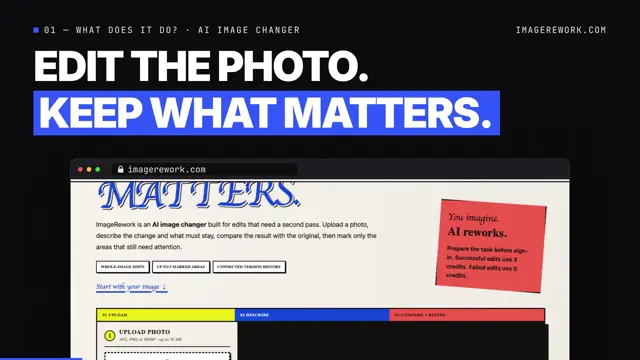 0:00–0:04
shot 1 · What does it do?
Purpose: Name the product category and the promise before anyone scrolls.
- template label F1 01 — What does it do? · AI image changer
- quoted F2 Edit the photo. Keep what matters.
- in this cut (captured screens)
- Headline set huge in two lines; a browser frame with the captured hero screen slides up beneath it.
- in the planned text workflow
- Same headline in large type with an “AI image changer” chip; no screen capture.
-
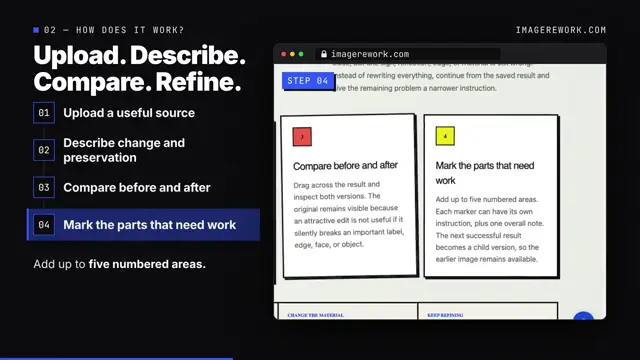 0:04–0:11
shot 2 · How does it work?
Purpose: Show the workflow is short and concrete: four steps a buyer can picture.
- condensed F3 Upload. Describe. Compare. Refine.
- quoted F4 Upload a useful source → Describe change and preservation → Compare before and after → Mark the parts that need work
- quoted F4 Choose a clear image under 10 MB. / Say what to change and what to keep. / Drag across the result and inspect both versions. / Add up to five numbered areas.
- in this cut (captured screens)
- Left: a rail ticks the four step labels on one at a time. Right: the matching captured screen crop pushes in.
- in the planned text workflow
- Four numbered chips light up in turn, each with its one-line caption.
-
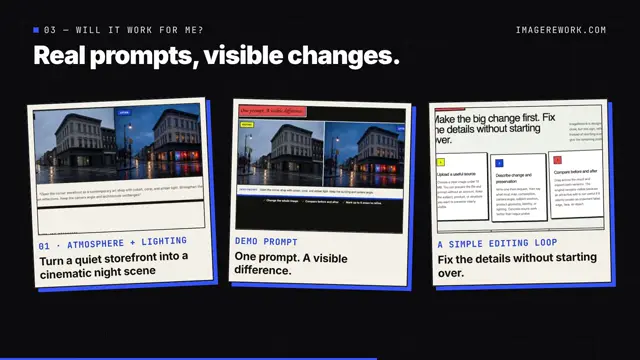 0:11–0:18
shot 3 · Will it work for me?
Purpose: Give proof with the product's own examples, not testimonials or numbers.
- quoted F5 Real prompts, visible changes.
- quoted F6 Turn a quiet storefront into a cinematic night scene / One prompt. A visible difference. / Fix the details without starting over.
- in this cut (captured screens)
- Three captured example crops are dealt in like cards, each with its page caption.
- in the planned text workflow
- Three text cards with the same captions and a small before/after label; no example images.
-
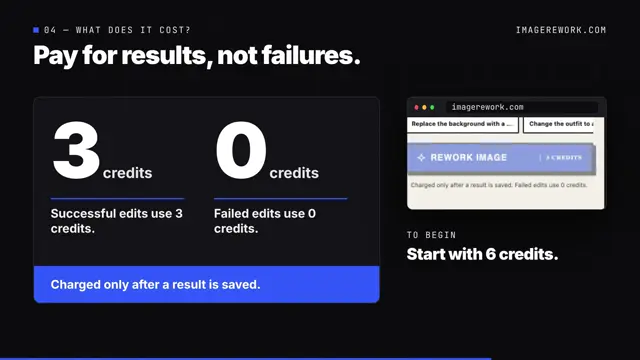 0:18–0:23
shot 4 · What does it cost?
Purpose: Answer the price question with the page's exact credit terms.
- our headline F7 F8 Pay for results, not failures.
- quoted F7 3 credits — Successful edits use 3 credits. / 0 credits — Failed edits use 0 credits.
- quoted F8 Charged only after a result is saved.
- quoted F9 To begin: Start with 6 credits.
- in this cut (captured screens)
- Two large number cards and a charge banner; a small captured crop of the generate button.
- in the planned text workflow
- The same number cards and banner, drawn as graphics.
-
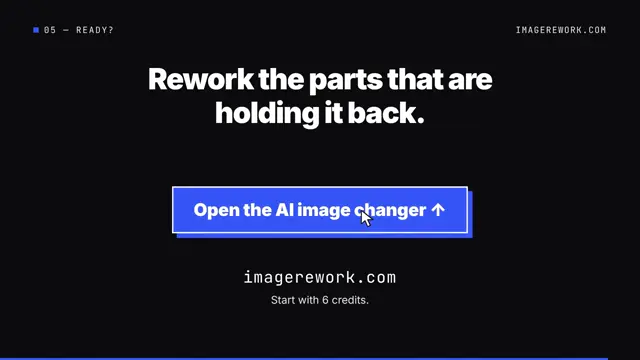 0:23–0:28
shot 5 · Ready?
Purpose: One clear action and where to go.
- quoted F10 Rework the parts that are holding it back.
- quoted F10 F9 Open the AI image changer ↑ · imagerework.com · Start with 6 credits.
- in this cut (captured screens)
- End card: the CTA as a button, a cursor clicks it, domain beneath.
- in the planned text workflow
- Unchanged: button shape, label and domain are already text and shapes.
3 · Check the script for invented claims
- 01Give every on-screen line a fact ID. A line with no source is cut or rewritten.
- 02Compare each number, limit and price with the page character by character (here: 10 MB, five areas, 3, 0 and 6 credits).
- 03Treat “new”, dates, “fastest”, “#1”, “unlimited”, user counts, ratings, testimonials and customer logos as invented unless your page states them.
- 04A headline may restate one fact in fewer words, but must not widen it. “Pay for results, not failures” restates F7 and F8; “Never pay for a bad edit” widens “failed” to “bad”.
- 05If your page states no price, skip the price shot instead of inventing a number.
- 06Re-read the live page on the day you publish; prices and limits change.
// result for this cut
- 0 invented features, numbers, dates or testimonials.
- 1 headline written by us (shot 4), backed by F7 and F8.
- 1 condensed line (shot 2) built from the page's step labels.
- Every number on screen (10 MB, five areas, 3, 0 and 6 credits) matches the page.
4 · Your product brief
Fill this in from your own public page before writing a single caption. If a field has no source on the page, leave it out of the video.
PRODUCT NAME:
PUBLIC SOURCE URL: (every fact must be visible here)
WHO IT IS FOR:
MAIN VALUE (one sentence, in your page's words):
PROVABLE FEATURES (3-4, each with where the page says it):
  1.            source:
  2.            source:
  3.            source:
PRICE OR OFFER LINE (exact wording, or "none - skip the price shot"):
CTA LABEL + LINK:
FORMAT: 16:9 or 9:16
LENGTH: 20-40 seconds
DO NOT SAY: (claims, numbers or features you cannot back up)
PRODUCT NAME: ImageRework
PUBLIC SOURCE URL: https://imagerework.com/
WHO IT IS FOR: people whose first AI photo edit is close but not right
  (page: "built for edits that need a second pass")
MAIN VALUE: Edit the photo. Keep what matters.
PROVABLE FEATURES:
  1. Upload, describe, compare, refine     source: hero task panel
  2. Up to 5 marked areas to refine         source: hero + step 4
  3. Before/after comparison                source: step 3
PRICE OR OFFER LINE: Successful edits use 3 credits. Failed edits use
  0 credits. Charged only after a result is saved. Start with 6 credits.
CTA LABEL + LINK: Open the AI image changer -> imagerework.com
FORMAT: 16:9
LENGTH: 28 seconds
DO NOT SAY: "new", dates, user counts, ratings, "unlimited",
  "never pay for a bad edit" (the page says failed, not bad)
5 · What you can do today
- 01 Fill the brief from your page and tag every script line with a fact, as in the storyboard above.
- 02 Plan five shots on the same questions: what, how, proof, price (skip if none), action.
- 03 Try the sample walkthrough: mock facts and a pre-rendered clip. It does not read your URL or make a new video.
- 04 Join the waitlist: it stores your URL and email only. Planned renders: 16:9 or 9:16, text and graphics only.
This prompt records how the existing video above was made. It is not a capability list or a prompt that the current workbench runs.
Look: developer-dark launch film — near-black background (#0b0b0d) with a faint grid, a sans display face plus monospace accents, the product's own brand color as the single accent. Show the real screenshots inside a clean browser frame whose address bar shows the real domain. Structure a 28-second SaaS launch film around the buyer's questions, one per beat. (1) 0–4s 'What does it do?': the hero headline set huge in two lines, then the browser frame slides up beneath it showing the real hero screenshot. (2) 4–11s 'How does it work?': split screen — left a vertical rail with the page's own step labels ticking on one at a time, right the matching real screenshot crop pushed in 1.4x. (3) 11–18s 'Will it work for me?': three real example crops from the page dealt in like cards, each with one caption quoted from the page. (4) 18–23s 'What does it cost?': a single pricing card that states the page's credit terms exactly as written (e.g. what a successful edit costs and what a failed edit costs). (5) 23–28s end card with the real CTA label, a cursor clicking it, and the domain. Every caption is quoted or near-quoted from the captured page; no invented metrics, testimonials, dates or 'new' claims.
// planned text workflow
- 01Enter a public homepage URL. The planned reader extracts text, not screenshots.
- 02Review page facts such as the headline, steps, examples and pricing line.
- 03Use the chosen facts in an editable script with timed text and graphic scenes.
- 04Rendering is closed. The video above is a finished sample made separately from captured screens.
Try the sample walkthrough with mock facts and a pre-rendered clip, or join the waitlist for text-based rendering when it opens.
FAQ
How long should a SaaS launch video be?
Between 20 and 40 seconds works for a launch post or a homepage. This template runs 28 seconds: four question beats plus a CTA end card.
Can it show my real pricing?
The price shot in this sample quotes ImageRework's credit lines word for word. Do the same with your own page; if it states no price, skip the shot rather than invent one.
Do I need screenshots?
No. The planned reader uses public page text and does not capture screenshots. Review the text-derived facts before they guide an editable script. Rendering is not open yet.
Is there sound?
The sample is a silent cut that relies on captions, so it plays fine muted in a feed. You can add your own music in any editor.
Is ImageRework a customer?
No. ImageRework is one of our own products, so we own its page, screens and example images. The case shows how a launch cut is built from page facts; it is not a client result.